Hosting a quiz night? Just bring your questions.
QuizMaster handles the rest: live buzzers on every phone, a board for the shared screen, and scoring as you play. In person or over a video call.
- Free
- No sign-up
- No app needed
Got a room code?
The game server naps when idle — the first load can take up to a minute


Why QuizMaster
Stop building slides. Stop juggling score sheets.
| board | category | value | question | answer |
|---|---|---|---|---|
| Board 1 | Capitals | 10 | What is the capital of Japan? | Tokyo |
| Board 1 | Capitals | 20 | What is the capital of Canada? | Ottawa |
| Board 1 | Movies | 10 | Who directed Jaws? | Steven Spielberg |
| Board 1 | Movies | 20 | Which film features the ship Nostromo? | Alien |
| Board 1 | Science | 10 | Which planet is known as the Red Planet? | Mars |
| Board 1 | Food | 10 | What is the main ingredient of guacamole? | Avocado |
Your spreadsheet is all the prep you need
No PowerPoint, no Google Slides, no formatting. Write your questions in a spreadsheet, upload it, and QuizMaster builds the board, question screens and answer reveals for you.

Focus on the quiz, not switching tabs
No flipping between slides and sheets. Score answers as you go, right on the quiz board, while QuizMaster tracks every player's running total.
How it works
From spreadsheet to buzzers in three steps
Create your quiz
Add each question to a spreadsheet with its category and point value, Jeopardy-style. Add pictures if you like.
Start a game
Upload your spreadsheet and check the board. Share the room code or join link, then hit Start once everyone's in.
Buzz in and play
Pick a tile to put the question on the shared screen. Players buzz in on their phones, you see who buzzed first, and you score each answer on the board.
Two ways to play
In the same room, or miles apart

Around one screen
Cast the board to a TV or projector. Everyone watches the same screen and buzzes in on their phone.
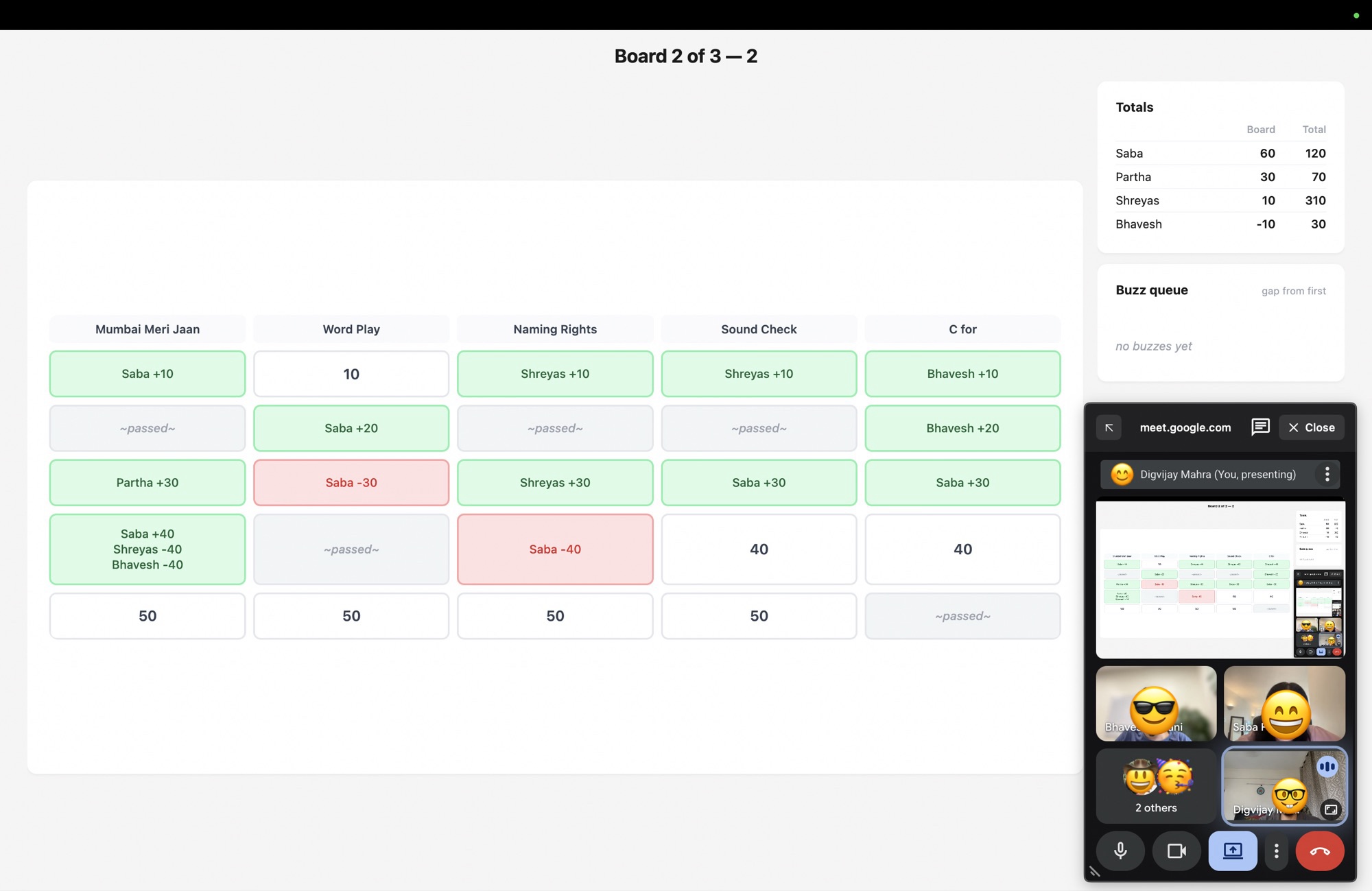
Over a video call
Share the board on Zoom or Google Meet. Everyone joins from anywhere and buzzes in on their phone.
- One hostA laptop and your quiz
- One phone per playerJoin with the link or room code
- One shared screenA TV, projector or video call
- A group of friendsAround 10 is the sweet spot
After the game
The quiz ends. The debate doesn't.
Who doesn't love picking a quiz night apart? Open the summary after the last question to relive it.

How the lead changed hands
Every player's score after each question, so you can see exactly where the game turned.

Who was quickest on the buzzer
See how often each player buzzed, their average and median response times, and where they usually landed in the queue.
Questions
Good to know
Is it really free?
Yes. No sign-up, no ads and nothing to install.
Do players need an account?
No. They open the join link or type the room code, then enter a name.
Are our quiz and scores saved?
No. A room only lives in the server's memory while you play, and it's gone once the server restarts. Your quiz stays safe in your own spreadsheet.
What if someone's phone drops off?
Reopening the page puts them straight back in the game, in the same place in the buzz queue.
How do I create a quiz?
Start from the sample quiz: a zip with a spreadsheet and an optional folder of pictures. The host view explains the format when you upload, and points out any row that needs fixing.
Can questions have audio or video?
Not yet. Questions and answers can show pictures, but not sound or video clips.
Can I suggest a feature or report a bug?
Yes, please! Open an issue on GitHub to suggest a feature or report a bug.
Ready for your next quiz night?
Create your quiz, share the room code and start the game
Host a quiz